Affiliate Disclaimer: This post may contain affiliate links. As an affiliate, I may earn a commission if you purchase through my links, at no extra cost to you. Please read our full disclosure for more info.
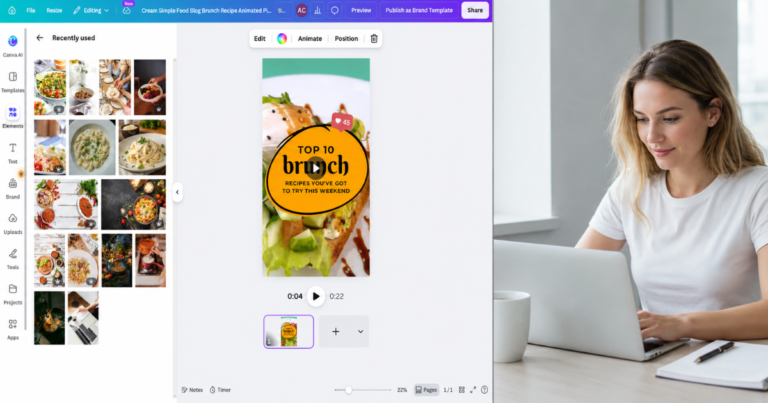
If you just finished reading our guide on Designing Your First Pins: A Beginner’s Guide to Using Canva for Free, you likely have a batch of beautiful, click‑worthy pins sitting on your computer.
But a beautiful pin alone isn’t enough.
If you upload those pins without optimizing the text behind them, you’re throwing your hard work into a void.
Pinterest is a visual search engine. While the image catches the reader’s eye, it’s the text—your titles and descriptions—that tells the Pinterest algorithm exactly who needs to see your content.
This is the core of Pinterest SEO. It’s not about tricking a system or stuffing keywords until your description sounds robotic.
It’s about clearly explaining your content so Pinterest can distribute it to the exact people who are searching for your solution.
Let’s break down how to write titles and descriptions that get your pins discovered, clicked, and Saved.
What you will learn
By the end of this guide, you will know how to:
- Write Pinterest titles that combine emotional hooks with keyword clarity so your pins get more impressions and clicks.
- Craft descriptions that give Pinterest the context it needs to distribute your pins to the right audience.
- Use Save psychology to increase engagement and long‑term distribution.
- Understand how Pinterest distributes your pins through the follower feed, home feed, and search feed.
- Apply the keyword placement hierarchy so your SEO efforts go where they matter most.
- Use 1 primary keyword + 1 LSI variation to strengthen your titles without keyword stuffing.
- Write descriptions across multiple niches (Food, Finance, Home/Organization) using a repeatable formula.
- Avoid the most common Pinterest SEO mistakes that kill distribution for beginners.
- Use AI (Google Gemini) to generate clean, keyword‑rich titles and descriptions without hashtags.
Why Pinterest SEO is about “Save psychology,” not just search algorithms
When most beginners hear “SEO,” they panic. They imagine complicated coding, backlinks, and months of waiting to appear in search results.
Take a deep breath. Pinterest SEO operates on a completely different frequency.
On traditional search engines, users want a quick, definitive answer.
On Pinterest, users are planning their future. They’re building vision boards, meal plans, and financial roadmaps. They don’t just want an answer — they want an idea they can keep.
This is Save psychology.
When your pin description promises a realistic solution and your title hooks their emotion, users Save your pin.
Every Save sends a powerful trust signal to the Pinterest algorithm. Pinterest sees this engagement and pushes your pin into even more feeds.
Your text optimization is simply the bridge that gets your pin in front of the right person so Save psychology can take over.
How Pinterest distributes your pins (the 3‑layer system)
To understand why your titles and descriptions matter so much, you need to know how a pin actually travels through Pinterest once you hit publish.
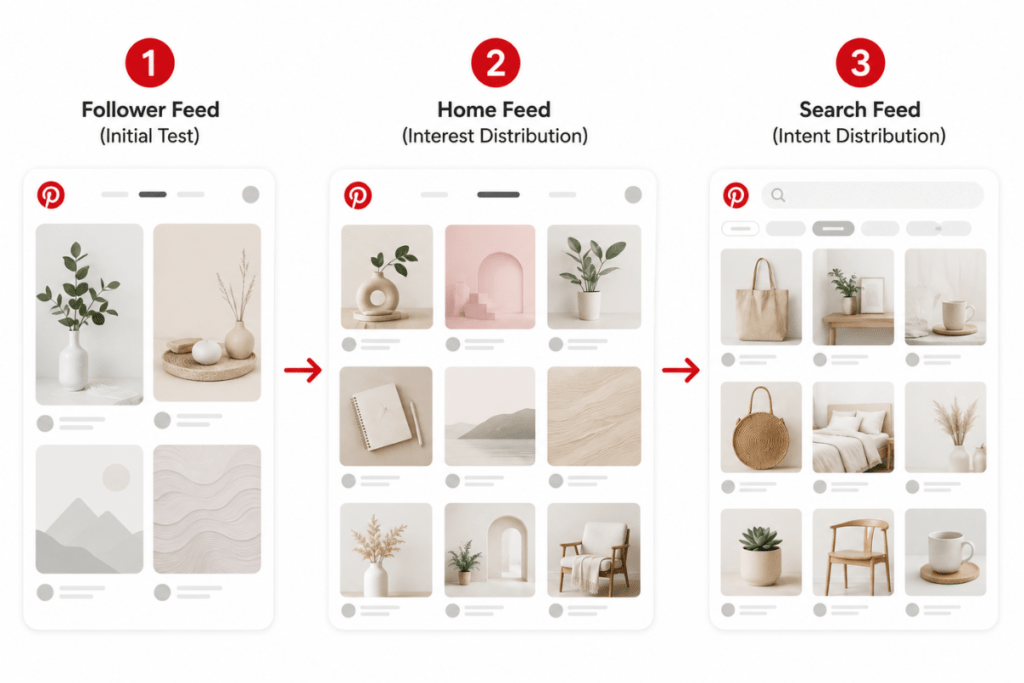
Pinterest distributes your content through a three‑layer system:
- The follower feed (the initial test):
When you publish a new pin, Pinterest first shows it to a small segment of your followers and highly engaged audience. This is a quality check. If your imagery and text resonate here, the pin moves to the next layer. - The home feed (interest distribution):
Once the pin shows early engagement, Pinterest pushes it into the Home Feed of users who have shown interest in your topic. This stage relies heavily on the keywords in your description. If Pinterest understands your pin is about “budget meal prep,” it will show it to users who recently engaged with similar content. - The search feed (intent distribution):
This is the long‑term traffic engine. When a user types a phrase like “how to pay off debt” into the search bar, your pin can appear in the results. This evergreen visibility is powered entirely by your Pinterest SEO keyword strategy.
The anatomy of a highly distributed Pinterest pin
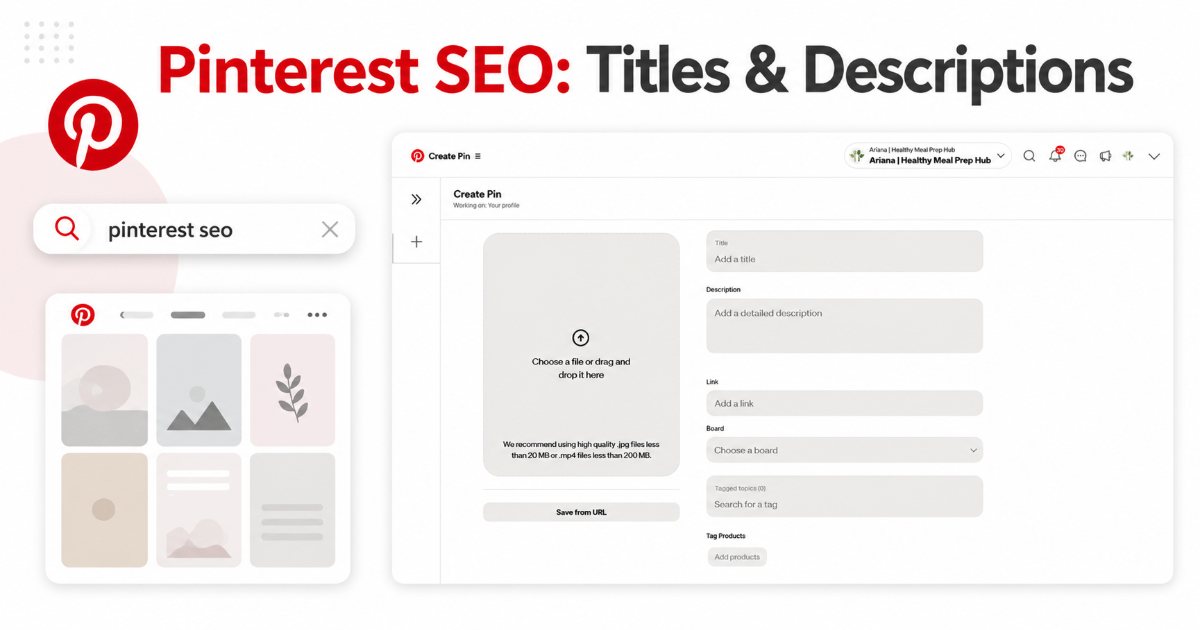
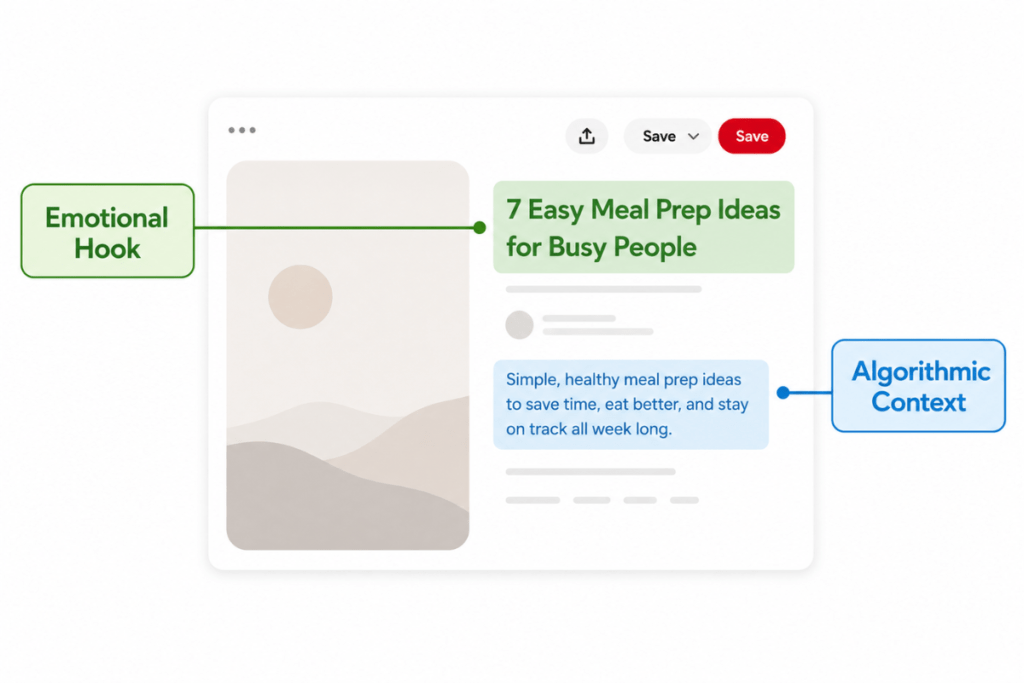
Every pin you upload has two primary text fields you must fill out. Leaving either one blank — or treating them as an afterthought — guarantees your pin will struggle to get impressions.
Pin titles: the emotional hook
Your pin title is the bold text that appears directly beneath your pin image in the feed. It has a strict limit of 100 characters, but only the first 30–40 characters are visible on mobile before getting cut off.
The title has one job: to hook emotion.
Yes, it must include your main keyword for Pinterest’s understanding, but its real purpose is to stop the scroll and make the human on the other side think:
“This is exactly what I’ve been looking for.”
Pin descriptions: context for the algorithm and the reader
Your pin description is the paragraph of text that appears underneath the title. You have up to 500 characters to work with.
While readers may occasionally expand and read this text, the description is primarily for the Pinterest algorithm.
This is where you provide rich, natural context. By weaving long‑tail keywords into conversational sentences, you give Pinterest a clear understanding of what your content is about, helping it place your pin in the right Home Feeds and Search results.
How to write Pinterest titles that get impressions and clicks
Writing a great Pinterest title is a balancing act between algorithmic necessity and human psychology.
If you only write for the algorithm (e.g., “Meal Prep Budget Food Dinner”), no human will click it.
If you only write for humans (e.g., “My Favorite Things to Eat This Week”), the algorithm won’t know where to place it.
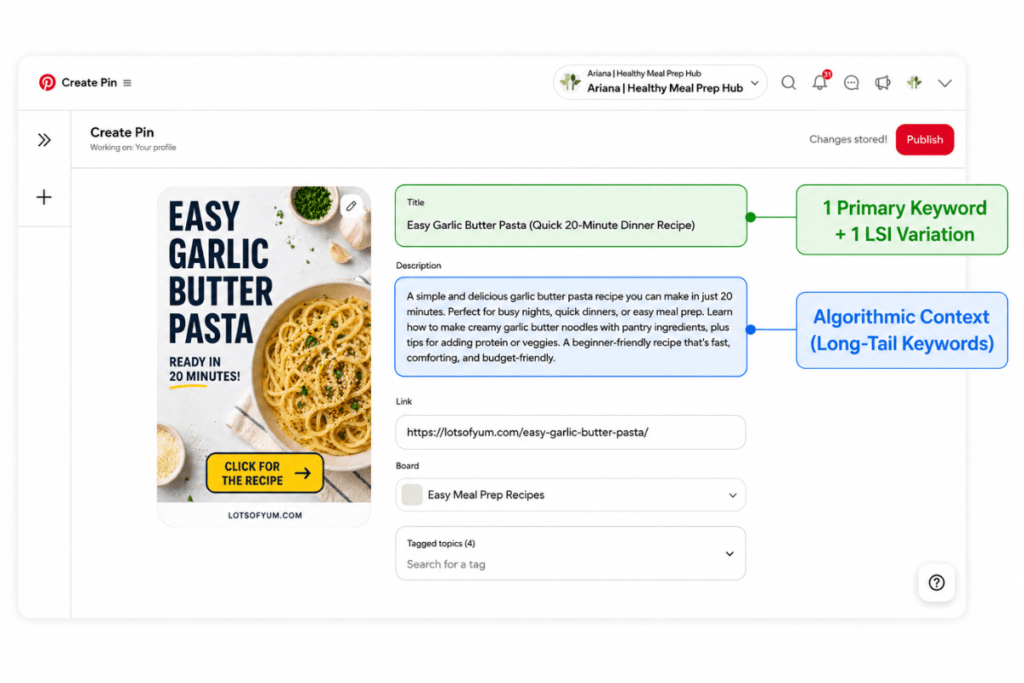
Use 1 primary keyword + 1 LSI variation
The most effective formula for a beginner’s pin title is combining your main focus keyword with an LSI (Latent Semantic Indexing) variation.
An LSI keyword is simply a related, highly searched phrase that naturally pairs with your main topic.
If you researched your keywords correctly using the methods in How to Find Pinterest Keywords That Drive Traffic (Free Methods), you should already have a list of these variations.
Instead of writing a basic title, combine them to create a compelling, keyword‑rich hook:
- Weak Title: How to Pay Off Debt
- Strong Title: How to Pay Off Student Loans Fast (Beginner Debt Payoff Strategies)
In the strong title, “Pay Off Student Loans Fast” is the primary keyword, and “Debt Payoff Strategies” is the LSI variation. It reads naturally, packs a punch, and gives the algorithm double the context.
How to write pin descriptions that trigger Saves (with examples)
Your pin description is your elevator pitch. It needs to be conversational, packed with keywords, and end with a clear Call to Action (CTA).
Here is the exact framework to follow for your 500‑character description:
- Sentence 1: Hook the reader with your main keyword and identify their pain point.
- Sentence 2 & 3: Expand on the solution using 2–3 related keywords in natural, flowing language.
- Sentence 4: End with a clear CTA telling them exactly what to do next.
Let’s look at how this applies across different blog niches:
Food Blog Example (Meal Prep):
“Looking for budget meal prep ideas that don’t take all day? These 30‑minute family dinners are perfect for busy weeknights. Learn how to master cheap grocery shopping and build a meal plan your kids will actually eat. Click through to grab the free printable grocery list and start saving money on food this week!”
Finance Blog Example (Debt Payoff):
“Struggling to figure out how to pay off student loans on a low income? This step‑by‑step beginner debt payoff strategy breaks down the exact snowball method you need to gain financial freedom. Stop stressing over monthly minimums and build a realistic budget. Click to read the full guide and download your free debt tracker!”
Home & Organization Example (Small Apartments):
“Running out of space? Discover these brilliant small apartment organization ideas that maximize your storage without looking cluttered. From under‑bed storage hacks to renter‑friendly shelving, you can transform your tiny space into a cozy sanctuary. Click here to see the before‑and‑after photos and organize your home today!”
Notice how none of these descriptions sound robotic — they’re empathetic, clear, and seamlessly integrate Pinterest search terms.
The Pinterest keyword placement hierarchy (most → least important)
As you build your blog and Pinterest account, you’ll have multiple places to add keywords. Pinterest weighs some areas much more heavily than others.
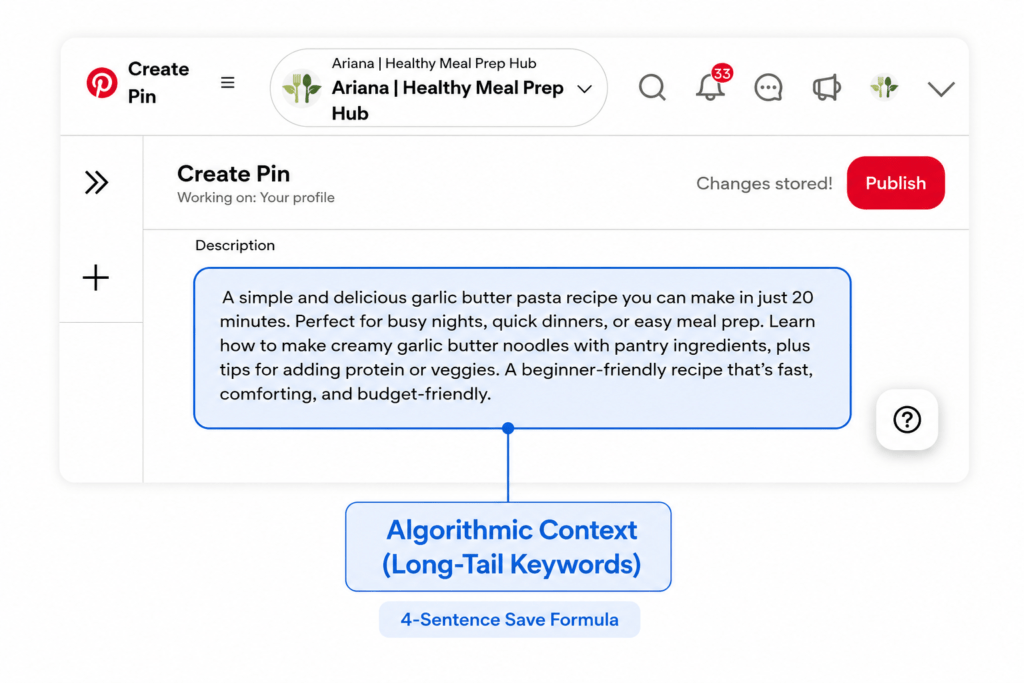
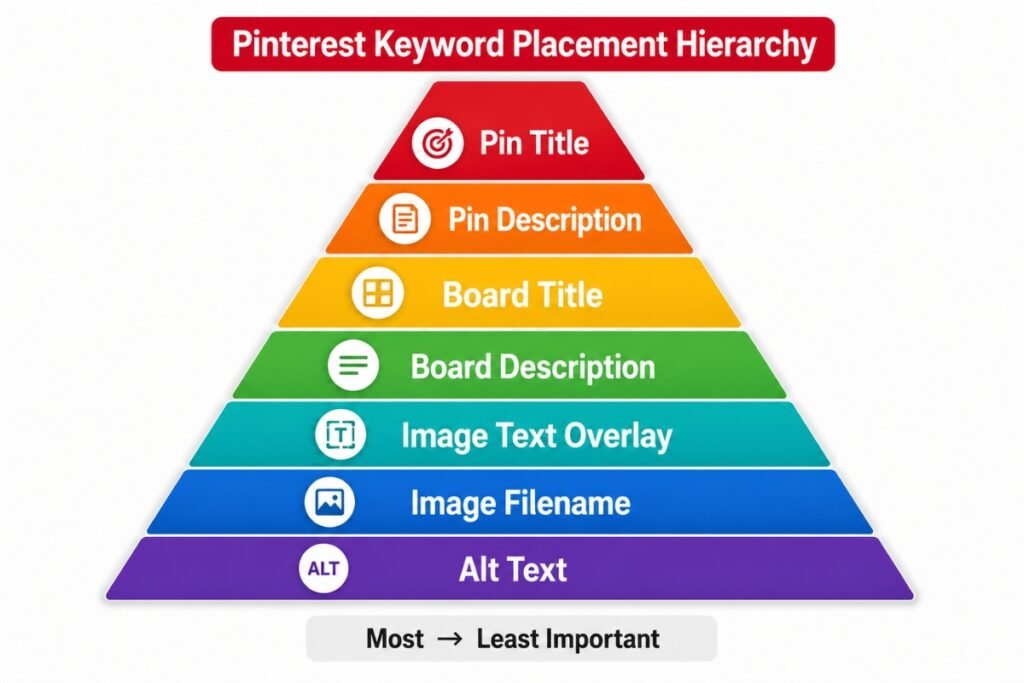
Here is the exact hierarchy of keyword placement, from most important to least important, so you know where to focus your energy:
- Pin Title: The strongest algorithmic signal. Your best keyword goes here.
- Pin Description: The context engine. Use natural, conversational long‑tail keywords.
- Board Title: The foundation. Pinterest heavily reads the board name you save the pin to.
- Board Description: Reinforces the overall theme of the board.
- Image Text Overlay: Pinterest’s visual lens reads the text on your pin graphic. Match your title.
- Image Filename: A small background SEO signal (e.g.,
budget-meal-prep.png). - Alt Text: Primarily for accessibility, but adds a final layer of context.
If you only optimize two areas, always prioritize the pin title and pin description.
The truth about hashtags on Pinterest (and why you don’t need them)
If you’ve read older Pinterest tutorials, you were probably told to add 10–20 hashtags at the end of your descriptions.
Please ignore that advice.
Pinterest no longer uses hashtags as a ranking signal. The chronological hashtag feed has been removed, and users can’t tap a hashtag to see recent pins anymore.
Today, Pinterest relies entirely on natural language processing — meaning it reads the sentences in your descriptions and the text on your images to understand your content.
Stuffing your description with a block of hashtags doesn’t help SEO and can even trigger spam filters. Instead of wasting character space on disconnected tags, focus on writing natural, helpful sentences that include your keywords seamlessly.
If you want to include a few hashtags for clarity or organization, keep it minimal — but they are no longer required for performance.
🤖 AI Assistance: Draft your pin titles and descriptions with Google Gemini
Writing 3–5 unique descriptions for the same blog post can cause serious writer’s block. This is the perfect time to bring in an AI assistant to do the heavy lifting, allowing you to act as the editor.
We highly recommend using Google Gemini for this. It is free, conversational, and excellent at structuring text naturally.
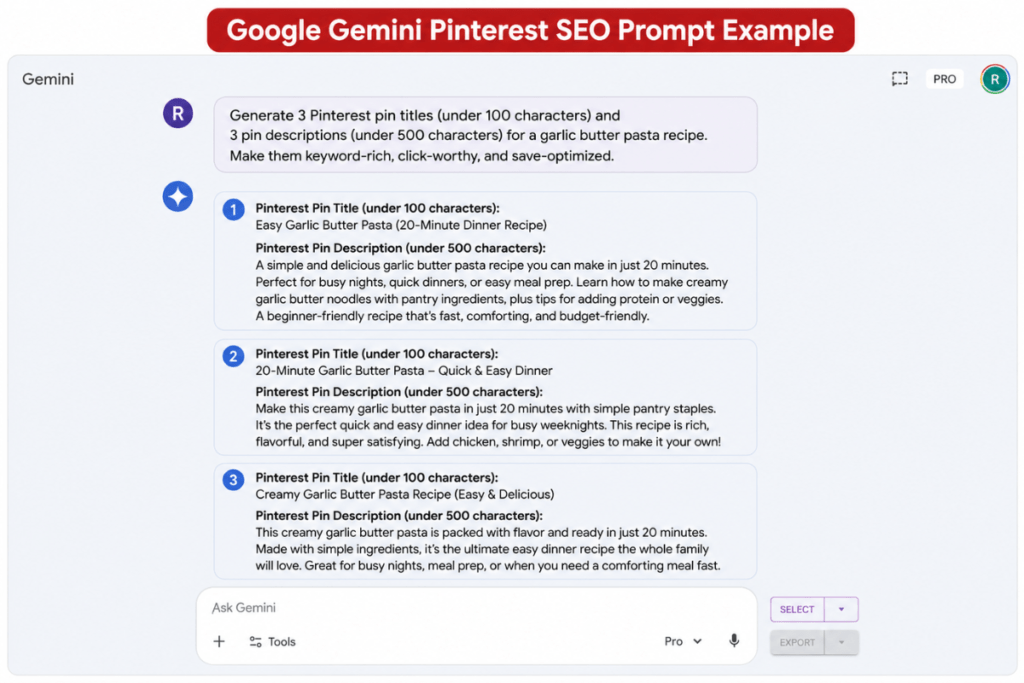
Copy and paste this exact prompt into Google Gemini:
“I have just written a blog post titled ‘[Insert Your Blog Post Title]’.
My main Pinterest keyword is: [Insert Main Keyword].
My secondary keywords are: [Insert 2–3 Secondary Keywords].Please write 3 different variations of a Pinterest Pin Title (under 100 characters) and 3 matching Pin Descriptions (under 500 characters).
The descriptions must be conversational, empathetic, and naturally include the keywords. Do not use any hashtags. End each description with a clear Call to Action telling the reader to click through to read the blog post.”
Once Gemini provides the options, review them. Tweak the phrasing so it matches your unique voice, ensure it aligns with your specific post, and you are ready to upload.
Common Pinterest SEO mistakes beginner bloggers make
Before you upload your pins, do a quick safety check. Avoid these three common traps that ruin pin distribution:
Mistake 1: Keyword stuffing.
Writing a description like “Meal prep. Budget food. Cheap dinners. Fast food for moms. Recipe prep.” is unreadable for humans and gets flagged as spam by Pinterest. Always use complete, natural sentences.
Mistake 2: Changing descriptions on repins.
If you save an existing pin to a new board, do not change the description. Pinterest tracks the history of that specific pin, so altering it can break the SEO data it has already collected.
Mistake 3: Forgetting the Call to Action.
If you don’t explicitly tell a reader to “Click to read the full guide” or “Grab the free template,” they will likely just Save the image and keep scrolling. You must invite them to take the next step.
Apply these title and description formulas to your next five pins and watch how quickly your impressions and Saves increase.
What’s Next?
You now know how to design beautiful pins and optimize them with the exact text that triggers Pinterest’s algorithm and reader psychology. Your pins are ready to work for you.
But what topics should you create pins for next month? Before you guess what your audience wants, you need to look at the data.
In our next guide, we’ll show you how to use Pinterest’s built‑in tools to predict what will be popular before it happens.
Want the complete blueprint without the guesswork?
Sophia Lee’s Beginner Blogging Bundle includes everything you need to start, grow, and monetize correctly from day one.